.svg)
This enhanced user experience allows web app users and email verifiers better visibility of what is required of them during the verification process. It also introduces new sorting and filtering functionality to more easily find employees with outstanding verification requirements.
You can learn more about the basic verification process here or read on to learn about the changes to the verification and file UI.
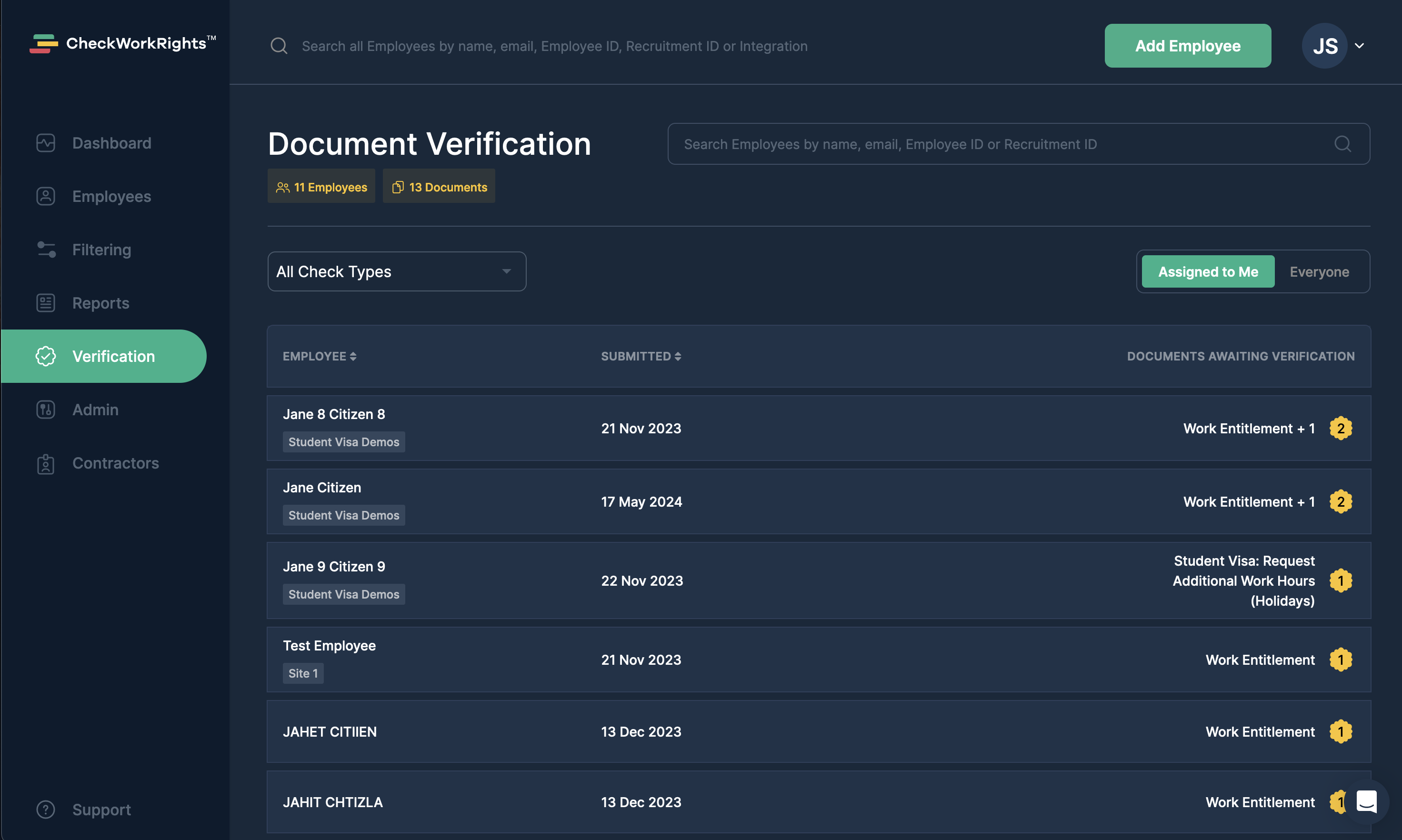
The Verification List
A list of outstanding verification items has been added as a new page in the navigation sidebar. Here you can view a list of employees and documents awaiting verification, either by you or by other members of your team. It is sortable and searchable to help you track down employees easily.
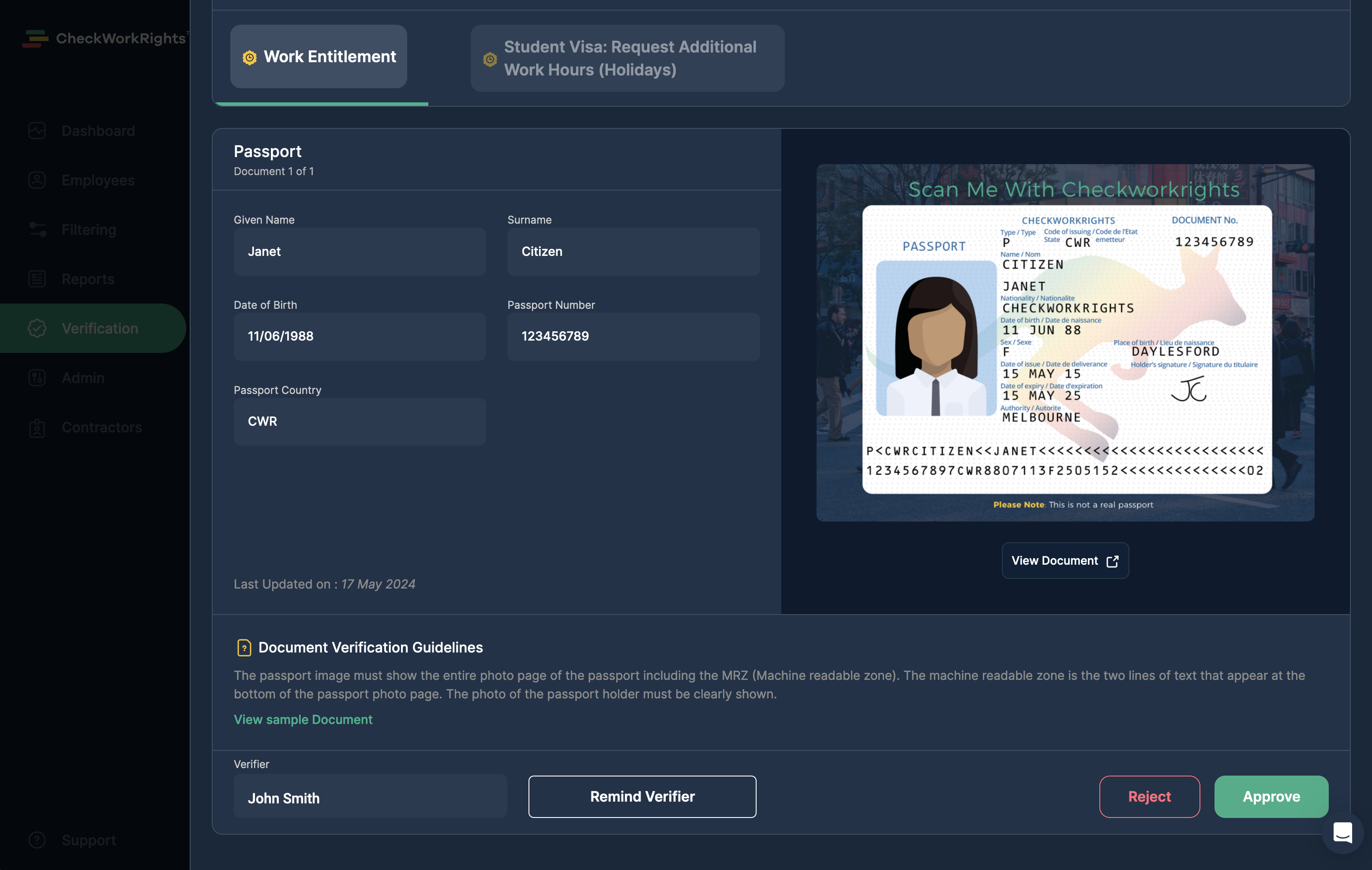
Verifying a Document
The process of conducting verification remains largely the same as it was before, however now all documents awaiting verification for an employee appear in tabs side by side. You can navigate between them using the check headings at the top of the window. Completing verification on one item will also navigate you to the next.
This screen is accessible from the verification list, the existing verification email flow and also from the new verification required banner at the top of the employee profile.
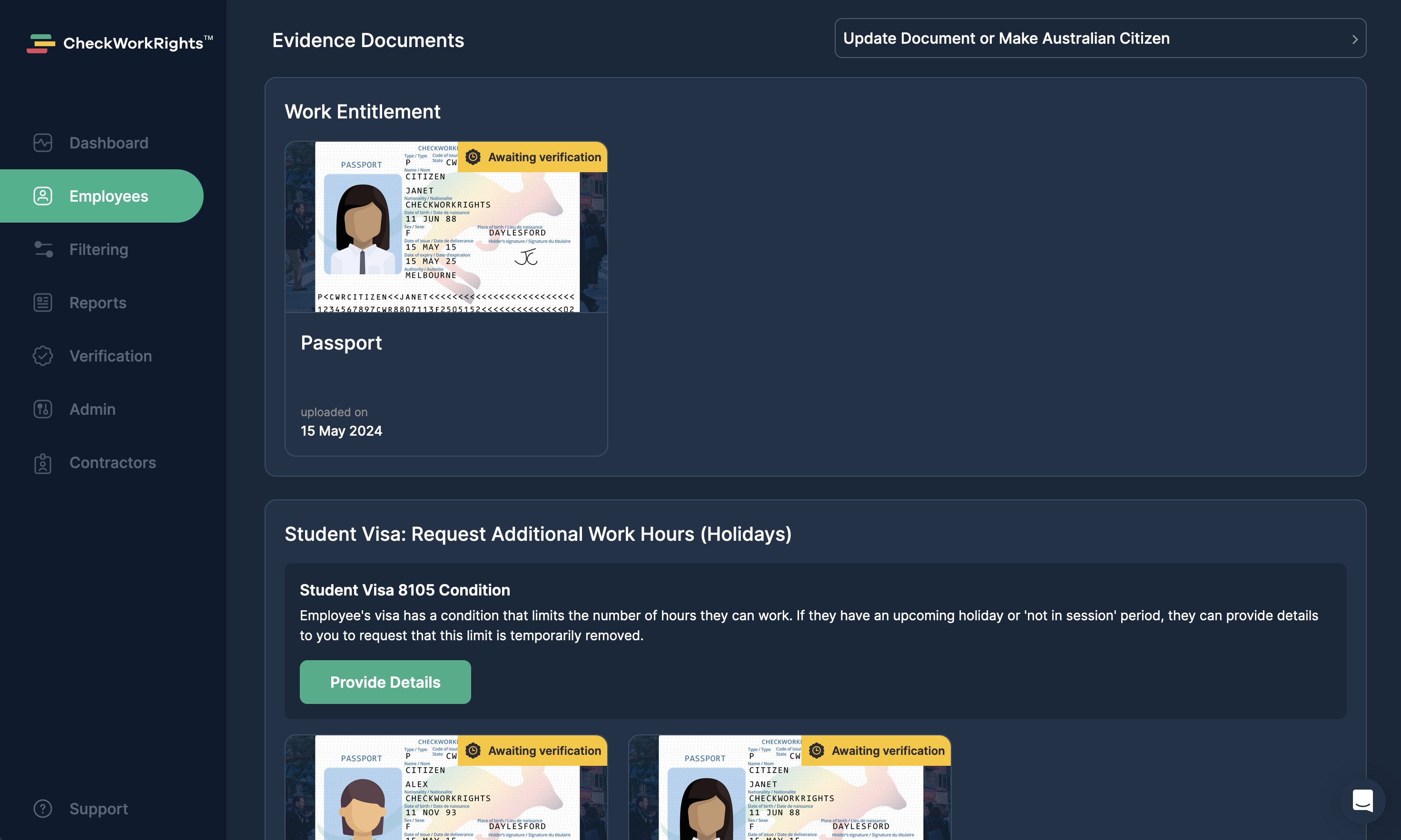
New File UI
We've also made some changes to the employee files area to streamline the file review process and make it more clear when verification is required or when automated file deletion has taken place.