.svg)
We've recently made some minor changes to how new employees are manually added to the platform, and how to manually trigger our email self onboarding workflow.
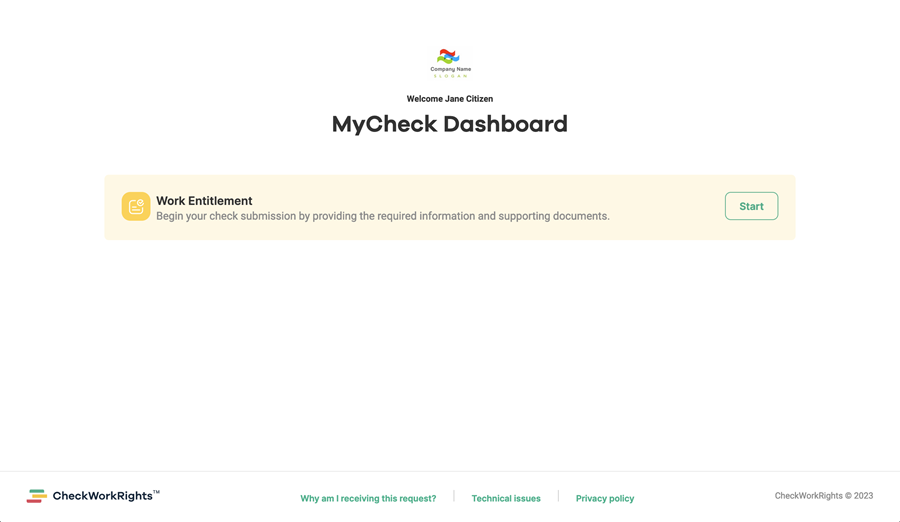
These changes revolve around the addition of our new MyCheck email and revised employee landing page, which is now the hub for all employee-facing communication.
MyCheck enables your employees to receive check-specific instructions once, without needing to receive individual emails for each check required. If only one check is requested, then only one check is displayed to the employee to complete.
Rename 'Request Document Submission' to 'Send MyCheck Email'
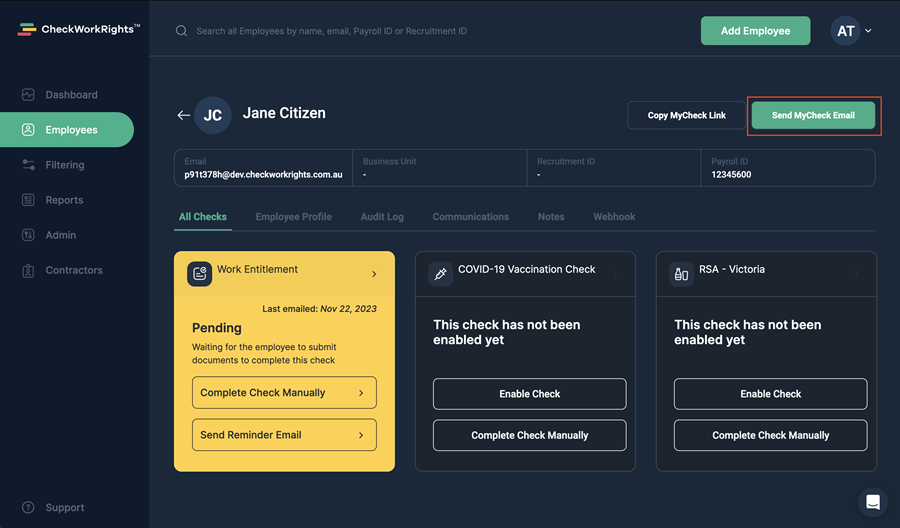
The button that was recently introduced as "Request Document Submission" has been renamed "Send MyCheck Email”, the function of this button and all other document collection functionality remains the same.
Adding New Employees and Completing a Right to Work Check
When adding a new employee to the CheckWorkRights web application, there is now a quick three-step process.
Step 1. Creating the employee record
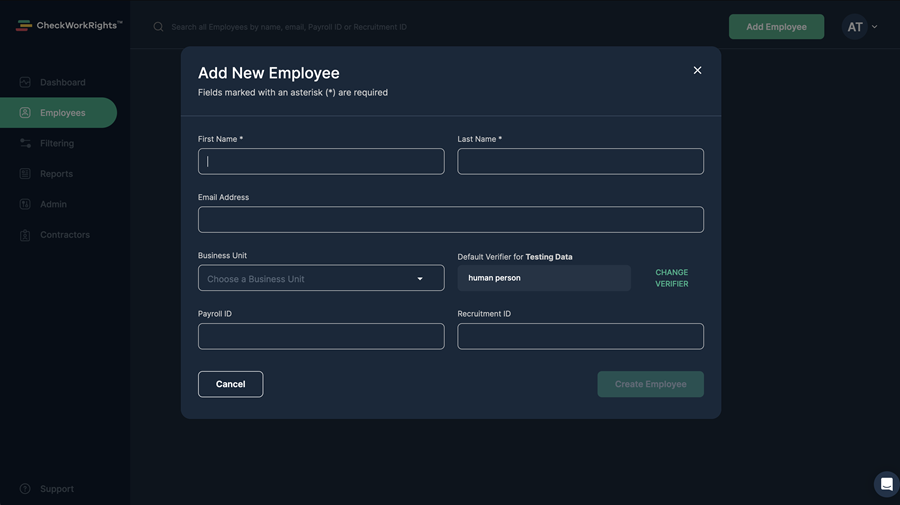
Select Add Employee in the top right of the screen
Here you add name, email, business unit (if you are using this functionality) and Payroll or Recruitment IDs. You also set the Document Verifier if necessary.
Step 2. Configuring checks
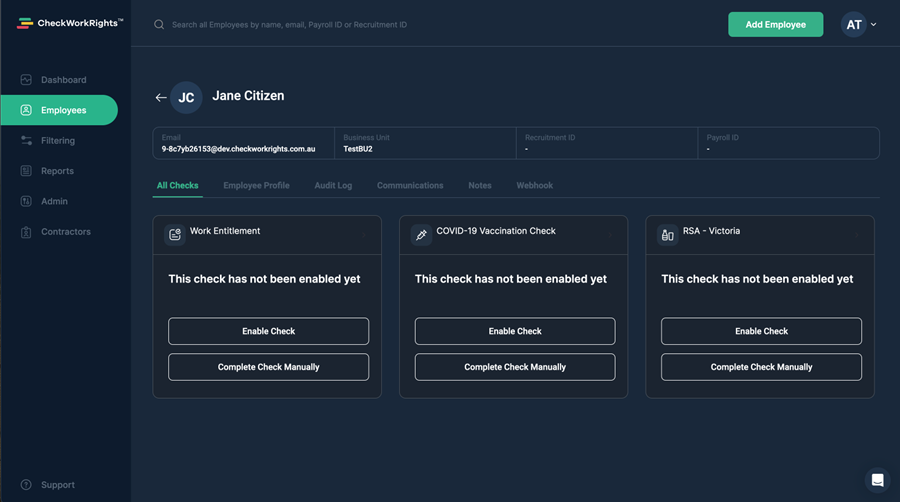
Configure the employee's check by either:
Enable Check - Enabling checks for use in the MyCheck Email Document Workflow
OR
Completing Check Manually - Manual document upload on your employee's behalf
*Note you will only see check types that have been configured as active for your company account
Step 3. Requesting check completion
Requesting check completion by either:
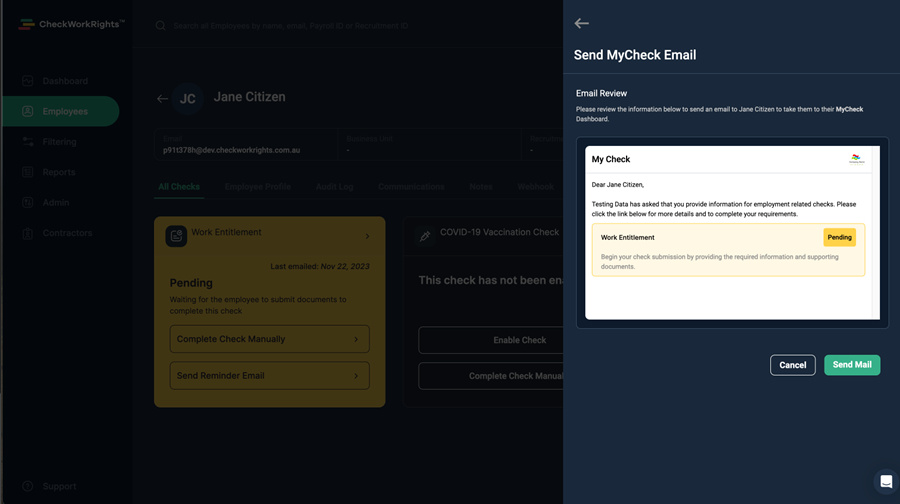
Send MyCheck Email - This button will email the employee. You will also see a preview mail to be sent before confirming with "Send Mail"
OR
Copy MyCheck Link - This button will copy the employee link directly for your use in a separate communication channel - i.e. your own onboarding email