.svg)
| Only available to users with Administrator access. This feature is only available on the web application. |
Step One
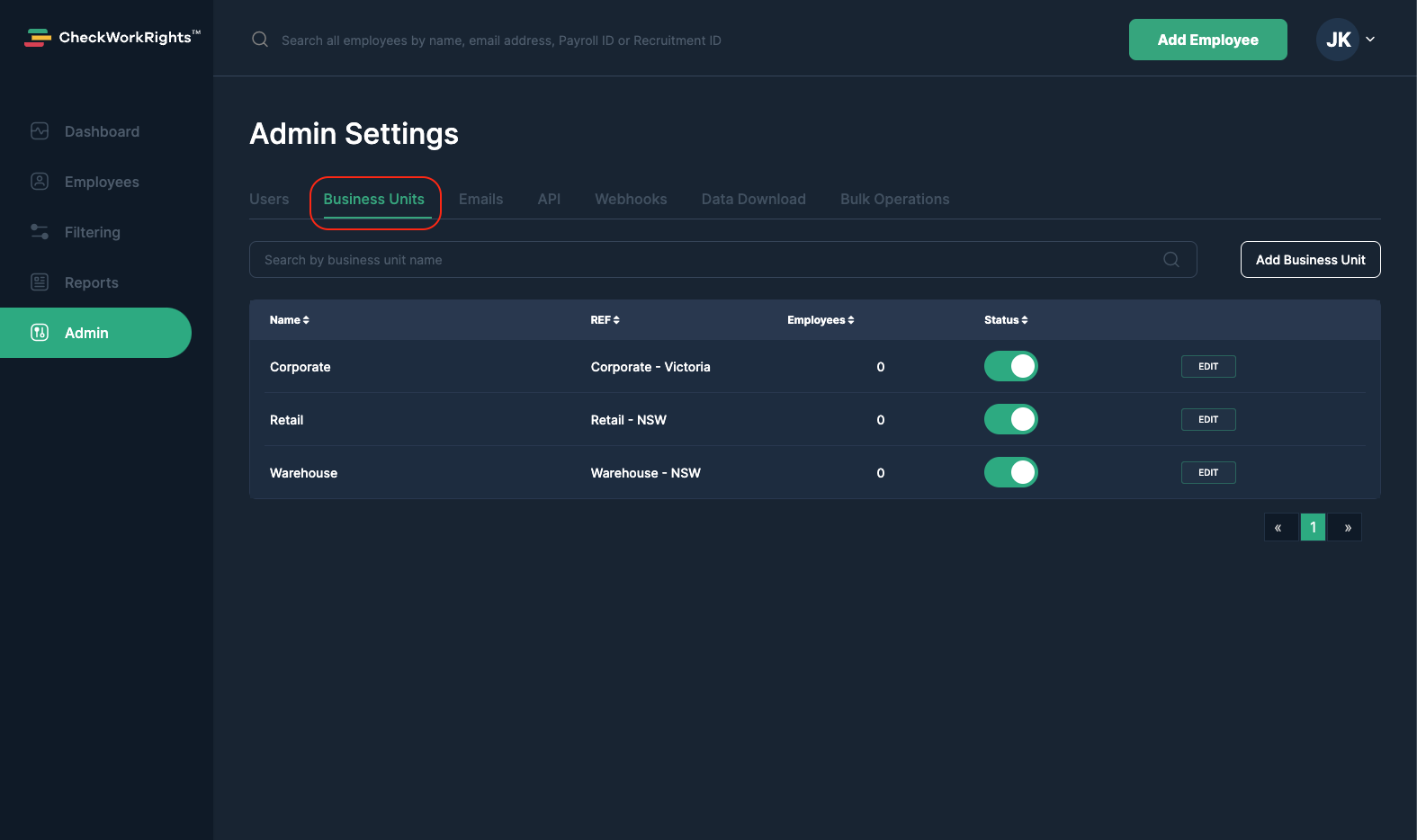
Select the Admin tab, and select Business Units in the tab section.
Step Two
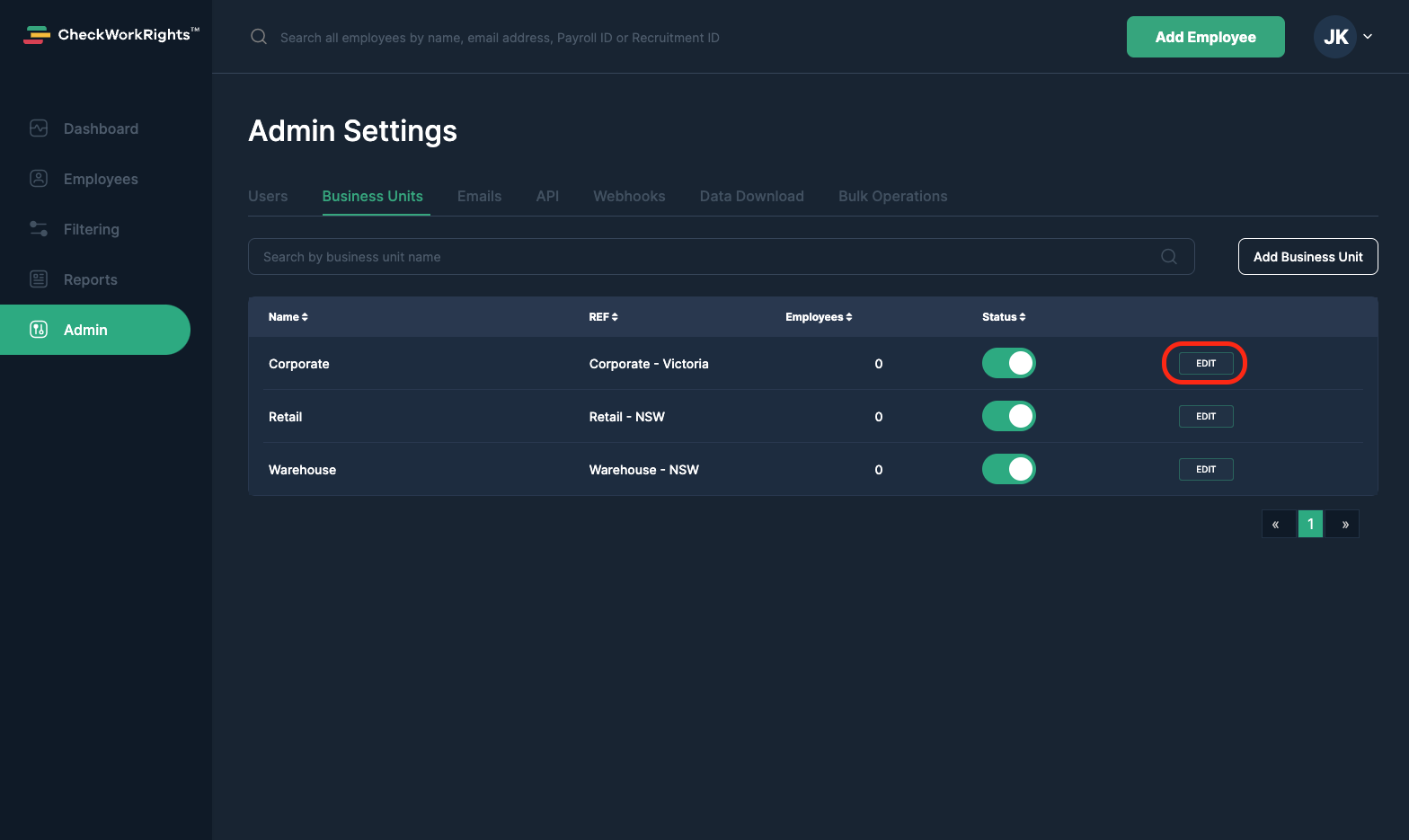
Locate the Business Unit in question, and Select Edit.
Step Three
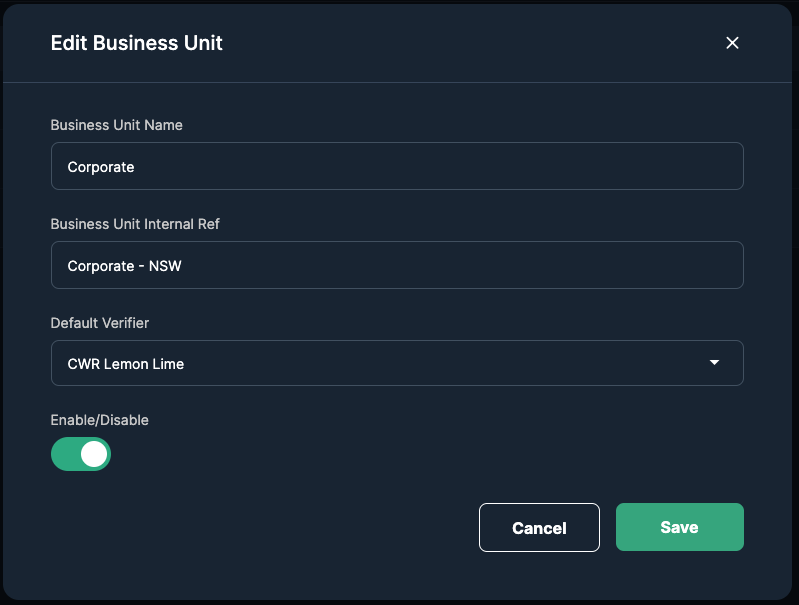
Make the changes required. Select Save.
Finish
Your Business Unit has now been updated.